> For the complete documentation index, see [llms.txt](https://xreal.gitbook.io/nrsdk/llms.txt). Markdown versions of documentation pages are available by appending `.md` to page URLs; this page is available as [Markdown](https://xreal.gitbook.io/nrsdk/v2.1.0/development/miscellaneous/notification-popup.md).
# Notification popup
### Ordinary prompt window
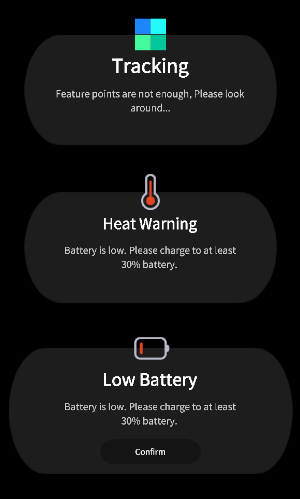
Ordinary prompt window provides information about the status of the devices, such as slam tracking state, glasses temprature level, device battery state.
**Enable Notification**
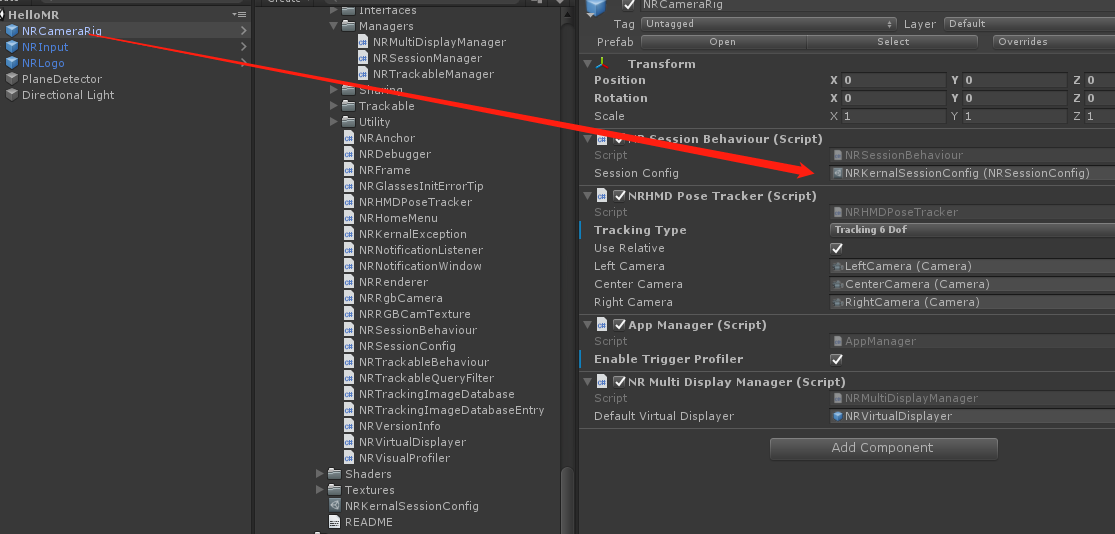
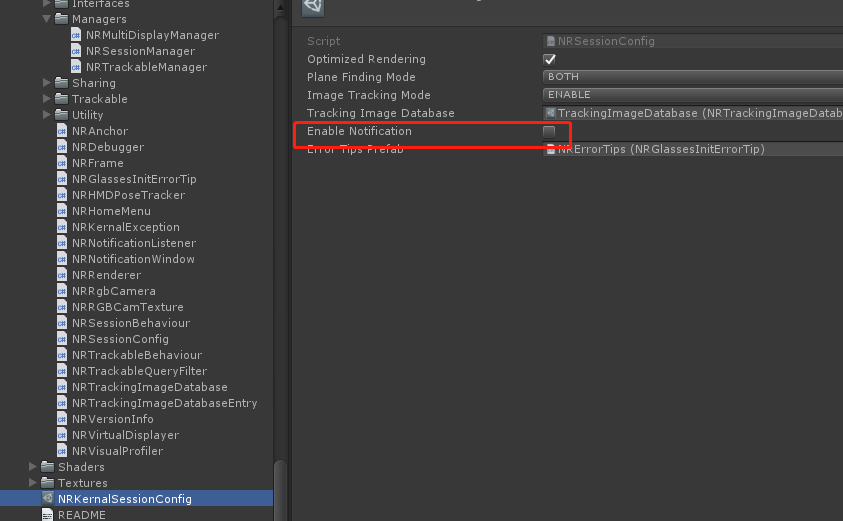
* Find the NRSessionConfig in your project
* Check the “Enable Notifiction” box
**Notification types**
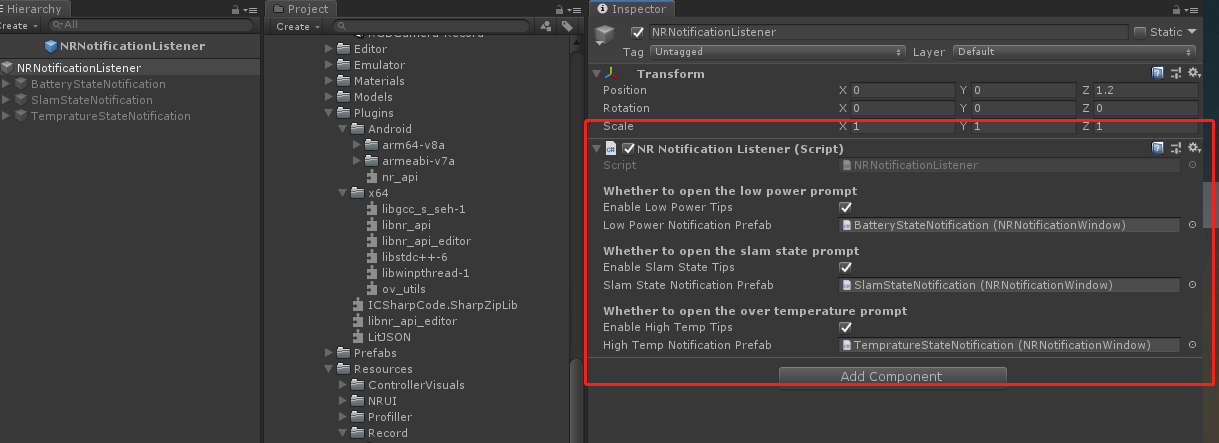
* Currently provided notifiction windows:
* Slam tracking lost
* Glasses Temperature Warm
* Glasses Temperature Hot
* Phone Battery 30% Notification
* Phone Battery 15% Notification
* Please refer to *NRNotificationListener* prefab under *NRSDK>Resources* and its *NRNotificationListener.cs* script to customize your notification message.
### Error prompt window
Error prompt window provides information for sever error. It usually pops up when the devices has been unable to run properly.
**Customize error tips**
* Find the ***NRGlassesErrorTip*** prefab under *NRSDK>Resources*, copy it to your project.
* Modify and save it as a new prefab, and drag it to your SessionConfig.
* Modify prompt text
```csharp
// Static constants need to be replaced in awake
void Awake()
{
NativeConstants.GlassesDisconnectErrorTip = "Please connect your XREAL Light Glasses.";
NativeConstants.UnknowErrorTip = "Unkown error! \nPlease contact XREAL's customer service.";
}
```
### Mode Change Tips
When users switch between two tracking modes in a scene, such as changing from 3 DOF (Degrees of Freedom) to 6 DOF, feedback is required to inform them if the change was successful.The prefab, NRTrackingModeChangedTip, is responsible for this transition effect. In previous versions, a window would prompt to display the status, but starting with NRSDK 2.1, we have adopted a more natural and seamless method, fading to black momentarily to indicate the transition.
---
# Agent Instructions
This documentation is published with GitBook. GitBook is the documentation platform designed so that both humans and AI agents can read, navigate, and reason over technical content effectively. Learn more at gitbook.com.
## Querying This Documentation
If you need additional information that is not directly available in this page, you can query the documentation dynamically by asking a question.
Perform an HTTP GET request on the current page URL with the `ask` query parameter, and the optional `goal` query parameter:
```
GET https://xreal.gitbook.io/nrsdk/v2.1.0/development/miscellaneous/notification-popup.md?ask=&goal=
```
`ask` is the immediate question: it should be specific, self-contained, and written in natural language.
`goal` is optional and describes the broader end goal you are ultimately trying to accomplish on behalf of the user. GitBook uses it to tailor the answer towards what is most useful for that goal.
The response will contain a direct answer to the question and relevant excerpts and sources from the documentation.
Use this mechanism when the answer is not explicitly present in the current page, you need clarification or additional context, or you want to retrieve related documentation sections.
 * Check the “Enable Notifiction” box
 **Notification types**
* Currently provided notifiction windows:
* Slam tracking lost
* Glasses Temperature Warm
* Glasses Temperature Hot
* Phone Battery 30% Notification
* Phone Battery 15% Notification
* Please refer to *NRNotificationListener* prefab under *NRSDK>Resources* and its *NRNotificationListener.cs* script to customize your notification message.
**Notification types**
* Currently provided notifiction windows:
* Slam tracking lost
* Glasses Temperature Warm
* Glasses Temperature Hot
* Phone Battery 30% Notification
* Phone Battery 15% Notification
* Please refer to *NRNotificationListener* prefab under *NRSDK>Resources* and its *NRNotificationListener.cs* script to customize your notification message.
 ### Error prompt window
Error prompt window provides information for sever error. It usually pops up when the devices has been unable to run properly.
### Error prompt window
Error prompt window provides information for sever error. It usually pops up when the devices has been unable to run properly.